
Shopify Blog SEO: A Practical Guide for Small Stores
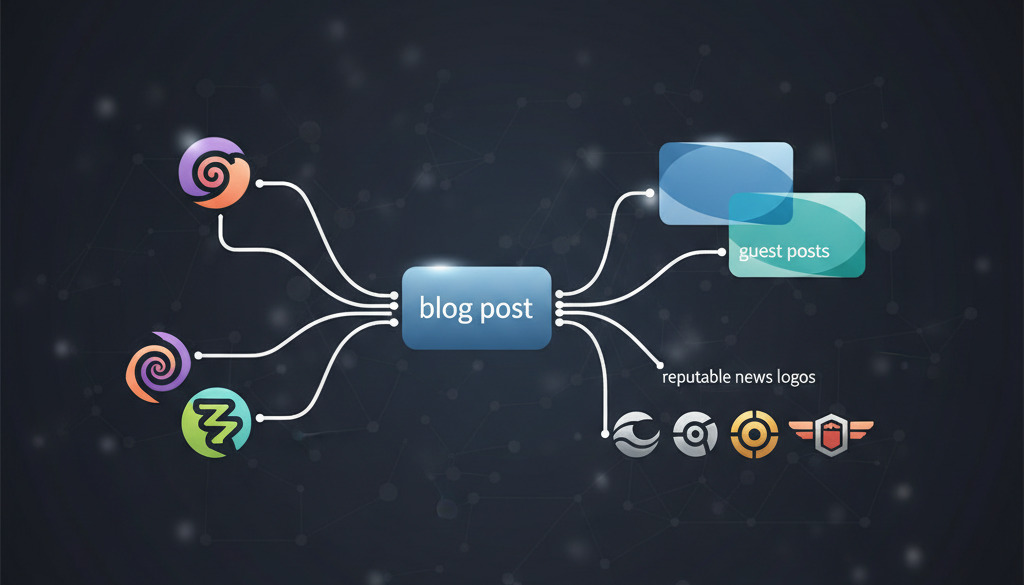
A useful Shopify blog starts with a customer's question, not a target keyword count. Someone choosing their first coffee grinder needs a different explanation from someone replacing a worn part. Your task is to answer that question clearly, explain where your products fit and make the next step easy. Search visibility can support that work, but a blog does not guarantee rankings, sales or a particular return on investment.
This guide gives a small store a manageable process: choose a worthwhile topic, prepare a helpful post, check its presentation and measure what readers actually do. The examples are fictional planning examples, not reported customer results.
Choose a question your store can answer well
Start with customer emails, product questions, returns and conversations with your team. Record the question in the customer's language and decide what a satisfactory answer needs to include. A size guide might need measurements and photographs; a maintenance guide might need a tested sequence and warnings. If you cannot support the answer, research it or ask someone with the relevant expertise before publishing.
For a fictional coffee shop, “how to clean a hand grinder” is a more useful brief than “write about coffee”. Identify the types of grinder covered, which parts must stay dry and which manufacturer instructions apply. Do not generalize one product's cleaning method to every model. A narrow topic is valuable when it solves a real problem—not because longer search phrases automatically convert better.
Use search results to understand competing answers and possible gaps, not as proof that the first result is correct. Give the article one clear purpose and include related vocabulary naturally. Avoid repeating a phrase to meet a density percentage. A content outline is an editorial aid, not a fixed quota of headings or secondary keywords.
Build the post in Shopify
Shopify's current blog-post instructions place creation under Content → Blog posts → Add blog post. Add the title and content, choose the blog and author, review the search engine listing and select the intended visibility before saving. New posts are hidden by default. Follow the controls available in your store if Shopify changes a label.
Draft the answer before polishing the headline. Put the main explanation near the beginning, then add examples, limitations and practical next steps. Read the post without its headings: does it still answer the original question? Remove introductions that merely repeat the title and claims you cannot substantiate.
Preview the saved post before making it visible. Check a narrow mobile layout as well as a desktop layout, including lists, tables, image captions and buttons. Verify that a product recommendation leads to the intended available product, rather than assuming a familiar URL is still correct.
Write titles and descriptions for people
Give every article a specific title that matches its content. “Cleaning a ceramic hand grinder: a dry-brush routine” tells the reader more than “The ultimate coffee guide”. Keep the title concise, but distinguish a platform recommendation from a search-engine rule: Shopify's SEO guidance recommends short titles; Google does not impose a universal 60-character title limit.
Google's title-link documentation explains that displayed titles may be shortened for the device width or generated from other page signals. A good title remains accurate even if its final words are not displayed. Do not promise a discount, delivery time or result the page cannot substantiate.
Write a brief, distinct description of the answer the reader will find. Google's snippet guidance does not set a fixed meta-description length; it may use page text instead and truncate the result. Treat character-count previews as editing assistance, not a guarantee of the exact search listing.
Connect your explanation to useful pages
Place internal links where they answer the next likely question. A cleaning guide could link to a compatible replacement brush and the manufacturer's care instructions. Use descriptive link text, and explain compatibility or limitations before asking someone to buy. Do not insert unrelated links simply to hit a minimum number.
External references are useful when they let readers verify a factual claim or follow a technical instruction. Link to the relevant original document, not merely a publisher's homepage. A search result's position is not an assurance of accuracy. Check that the page is available, discusses the claim and is current enough for the subject.
Google's SEO Starter Guide explains how clear structure, useful content and meaningful links help people and search engines understand pages. These are foundations, not a formula for first place. Keep the reader's task as the reason for each link.
Make images and layout earn their space
Use a photograph or diagram when it clarifies the explanation. For a care guide, a close-up of the actual part is often more useful than a decorative analytics chart. Label illustrations as illustrations; never present a generated graph as measured store performance or a mock-up as the current Shopify interface.
Choose dimensions appropriate for the display, compress oversized files and retain the image's proportions. Alternative text should describe meaningful visual information. Do not fill it with keyword lists. If the image is purely decorative, handle it as decorative in the page implementation rather than inventing an informative description.
Look for horizontal overflow, cut-off captions and controls that are difficult to use. Test a specific suspected performance issue before removing an app: not every installed app injects code into every storefront page. Preserve necessary functionality and keep a way to reverse a theme or app change.
Check discovery without promising indexing
Shopify automatically maintains a sitemap at the store domain's /sitemap.xml. Its sitemap guide explains how to verify your site and submit it in Search Console. The store must be accessible to the crawler. Submission helps discovery; it does not promise that every page will be indexed immediately or at all.
For a particular published article, use Search Console's URL Inspection to investigate its status. Keep the article's public address stable where practical. If an address changes, verify the redirect and update internal links; do not assume every possible URL change is handled automatically.
Do not look for the retired Mobile Usability report. Google announced the retirement of that report and the Mobile-Friendly Test in its page-experience update. Check the real page layout and investigate performance with current tools. A good test score alone does not guarantee a ranking.
Use structured data only where it fits
First inspect what your theme or installed apps already produce. Adding another schema app without checking existing markup can create contradictory descriptions. Structured data must describe visible, accurate information; it is not a substitute for the article itself.
Do not promise FAQ expansions or star ratings for an ordinary blog post. Google's documentation updates record the retirement of FAQ rich results in May 2026. The general structured-data policies also make clear that valid markup does not guarantee a rich result. Use the currently supported type appropriate to the page and test it against its actual requirements.
Measure separate stages of the reader's journey
Decide what the article should help a reader do. Useful observations might include visits from relevant searches, clicks to a matching product, cart additions and completed purchases. These are different events, not interchangeable definitions of conversion.
Google Analytics' ecommerce documentation distinguishes add_to_cart, begin_checkout and purchase. Confirm that your store's measurement setup actually sends the events you intend to analyze. Installing analytics alone is not proof that every event or attribution path is correct.
Compare like-for-like periods and note promotions, seasonality, product availability and tracking changes. A short visit can mean the reader found a quick answer; it is not by itself evidence of a bad article. Equally, more visits without useful outcomes may call for a clearer topic or a better next step. Avoid declaring success from a few visits or a single sale.
Promote and maintain useful work
Share a genuinely useful article with relevant communities or partners where it adds value. Offer your own photographs, testing experience or an explanation that a publisher would reasonably want to cite. Do not buy ranking links or send indiscriminate guest-post requests. Google's spam policies distinguish legitimate promotion from link manipulation.
Keep a small maintenance list: inaccurate instructions, discontinued products, broken links and posts that no longer answer their stated question. Update because the information needs improvement, not just to display a recent date. Record substantial changes so you can interpret later results without attributing every fluctuation to your last edit.
A practical starting point
Choose one recurring customer question and one product category you know well. Draft an answer, verify its claims, add only useful links and inspect the saved layout. Publish when it is ready, then review the observations against the purpose you set. A sustainable pace is better than a calendar filled with interchangeable posts.
The goal is a library customers can use with confidence. Strong SEO work supports that library, but no keyword ratio, publishing frequency or software tool can promise its commercial results.
Keep reading
Hand-picked guides that go deeper — open the one you need next: