
WordPress AI Publishing: The Complete 2026 Strategy Guide

Key Takeaways
- WordPress AI publishing has transitioned from simple text generation to autonomous agent-driven management.
- Real-Time Collaboration (RTC) and AI integration are the cornerstones of the WordPress 7.0 ecosystem.
- AI tools can now handle the entire content lifecycle, including research, SEO optimization, and multi-language localization.
- Successful AI implementation requires a balance between automation and human editorial oversight to maintain brand integrity.
- Automated traffic now represents over 50% of web activity, making machine-readable data as important as human-readable content.
I. Introduction: The Dawn of AI-Powered Content in WordPress
The digital publishing landscape is currently undergoing its most significant shift since the invention of the CMS itself. As we move through 2026, the volume of content required to remain competitive has reached a point where manual production alone is no longer sustainable for most enterprises. WordPress AI publishing has emerged not just as a luxury for tech-forward early adopters, but as a fundamental requirement for scaling digital presence in a saturated market.
In this high-velocity environment, the integration of Artificial Intelligence within WordPress allows creators to move beyond basic automation.[1] We are now seeing the rise of "intelligent ecosystems" where the website itself learns from user interactions, optimizes its own metadata, and even suggests strategic pivots based on real-time search trends. This article serves as a comprehensive guide for businesses and professional creators looking to master the tools and strategies that define the modern AI-powered WordPress site.
II. Understanding the Mechanics: How AI Integrates with WordPress
To effectively implement WordPress AI publishing, one must understand the technical architecture that enables these features. Modern AI doesn't just sit on top of WordPress; it connects deeply via the REST API and specialized hooks, allowing for a seamless flow of data between the CMS and Large Language Models (LLMs) like GPT-4o or the latest Claude iterations.
Core AI Technologies at Play
The primary driver is Natural Language Processing (NLP), which enables machines to understand, interpret, and generate human language. Alongside NLP, Vector Embeddings have become essential. They convert text into numerical representations, allowing WordPress sites to perform "semantic search"—finding content based on meaning rather than just matching keywords. This technology is what powers the most advanced "Related Posts" and internal linking engines available today.
Integration Methods for WordPress
There are three primary ways to bring AI into your workflow. First are dedicated AI plugins, which offer "out-of-the-box" functionality for non-developers. Second are AI-native themes, which integrate generative features directly into the Site Editor. Finally, for enterprise-scale needs, Custom API integrations via tools like n8n or Make.com allow for bespoke automation workflows that connect WordPress to various external AI services, ensuring a unique and controlled publishing pipeline.
III. AI-Assisted Content Generation: From Blank Page to Published Post
The most visible impact of WordPress AI publishing is in the actual creation of assets. The goal is no longer to let the AI write everything, but to use it as a "force multiplier" that handles the heavy lifting of drafting and structuring, allowing human editors to focus on strategy and tone.
Generating Blog Post Outlines
Effective content starts with structure. AI can analyze current top-ranking pages for a specific keyword and generate a comprehensive H2 and H3 structure in seconds. This prevents "thin content" by ensuring all relevant subtopics are covered, providing a roadmap that significantly reduces the time from ideation to first draft.
Drafting Article Sections
Instead of generating a whole 3,000-word piece in one go—which often leads to hallucinations or repetitive phrasing—modern workflows involve drafting section by section. By providing the AI with specific context for each heading, creators can ensure high-quality, factually accurate content that retains a logical flow throughout the entire piece.
Creating Unique Product Descriptions
For e-commerce users running WooCommerce, AI is a game-changer. It can take raw technical specs and transform them into persuasive, SEO-friendly product descriptions. This allows stores with thousands of SKUs to maintain unique, non-duplicated content across their entire catalog, which is critical for ranking in Google Shopping.
IV. Optimizing Content for Search Engines with AI
SEO is no longer just about keyword density; it is about satisfying user intent. AI tools within WordPress now analyze content against thousands of ranking factors in real-time, offering suggestions that go far beyond what legacy SEO plugins could provide.
Keyword Research and Optimization Suggestions
AI-driven SEO tools can identify "semantic gaps"—topics your competitors are covering that you have missed. These tools analyze the Search Engine Results Pages (SERPs) and provide a list of entities and terms that need to be included to signal to Google that your content is authoritative and comprehensive.
Readability and Engagement Scoring
Beyond simple Flesch-Kincaid scores, AI now evaluates the "flow" and "sentiment" of your writing. It can detect if a paragraph is too dry or if the transition between two sections is jarring. By optimizing for readability, you improve dwell time, a signal that indirectly boosts your WordPress AI publishing efforts in search rankings.
Internal and External Linking Recommendations
One of the most tedious tasks in WordPress management is internal linking. Modern AI plugins can scan your entire library of hundreds of posts and suggest perfect anchor text and destination URLs to build a strong internal link profile. This helps bots crawl your site more effectively and passes "link juice" to your most important pages.
V. Enhancing User Experience and Engagement Through AI
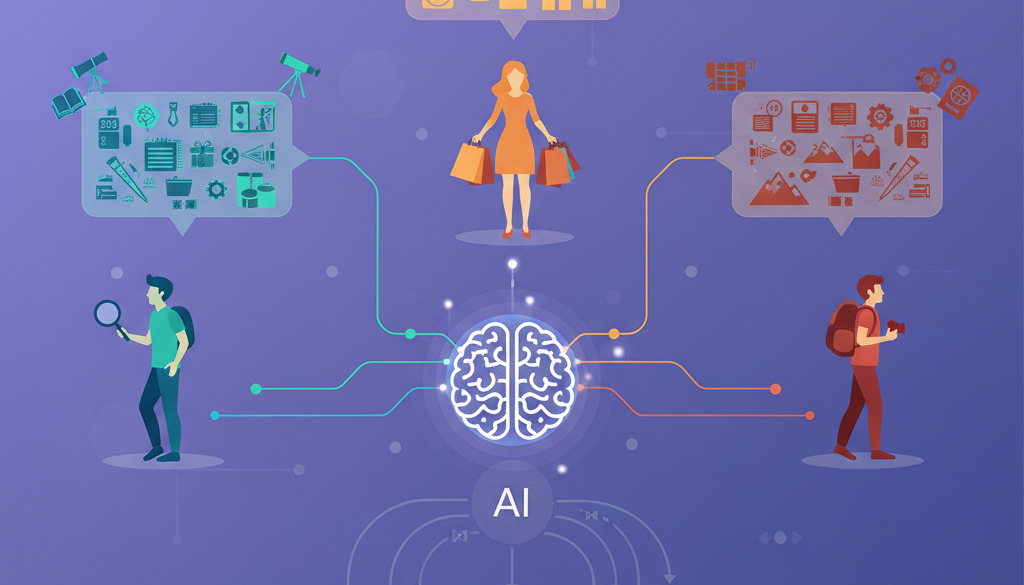
The performance of a website is ultimately measured by how users interact with it. AI allows for a level of personalization that was previously reserved for massive tech companies with unlimited budgets. By implementing these features, you turn a static blog into a proactive platform.
Dynamic Content Delivery
With WordPress AI publishing, you can display different content blocks to different users. For example, a first-time visitor might see an "Introduction to the Topic" section, while a returning subscriber sees a "Deep Dive" or a targeted promotion. This relevance significantly increases conversion rates and reduces bounce rates.
Personalized Product Recommendations
By analyzing a user's past browsing behavior on your WordPress site, AI can suggest products or articles that they are most likely to be interested in. This is not just based on "people who bought X also bought Y," but on a deeper understanding of the user's specific preferences and current intent.
VI. Streamlining the Publishing Workflow with AI
Efficiency is the primary driver of ROI in content marketing. WordPress AI publishing tools are increasingly focused on removing administrative friction, allowing teams to publish more frequently without increasing headcount.
Automated Content Scheduling and Publishing
AI can look at your historical traffic patterns and suggest the exact minute you should publish a post for maximum visibility. Some advanced systems even take into account when your specific audience is most active on social media, aligning the WordPress publish hook with social sharing schedules for a "perfect launch."
Image and Media Optimization
Gone are the days of manually writing alt text for every image. AI Vision models can now scan an uploaded image, craft a descriptive and keyword-rich alt tag, and even suggest an ideal filename. Furthermore, AI-based compression ensures that images lose no visual quality while maintaining the smallest possible file size for lightning-fast load times.
Content Moderation and Spam Detection
As sites grow, they become targets for more sophisticated spam. AI moderation tools go beyond simple blacklists; they understand the context of a comment. They can identify subtle "trolling" or linguistic patterns associated with bot-generated spam, keeping your comment sections clean and spiritually aligned with your brand values.
VII. Advanced AI Applications: Beyond Basic Content Generation
We are now seeing the emergence of autonomous features that handle complex tasks previously requiring specialized agencies. These advanced applications are what separate leading digital brands from the rest of the pack.
AI for Content Translation and Localization
Standard machine translation is often clunky. However, AI-powered localization tools in WordPress now account for cultural nuances and local idioms. This allows you to scale a single English post into Spanish, French, and Japanese versions that feel "native," vastly expanding your global organic reach without the cost of manual translation bureaus.
Sentiment Analysis for Audience Feedback
By running sentiment analysis on your comment sections and contact form submissions, AI can provide a "health report" for your content. If a particular topic is generating negative sentiment, the system can flag it for review, allowing you to address concerns or pivot your strategy before a minor issue becomes a PR problem.
AI-Driven Content Strategy and Performance Insights
Advanced WordPress setups now use AI to perform "Gap Analysis." By connecting your site data with broader market trends, the AI can tell you exactly which topics you should write about next to capture emerging search volume. It essentially acts as a virtual Content Strategist that never sleeps.
VIII. Choosing the Right AI Tools for Your WordPress Site
The market is flooded with plugins, but not all are created equal. Professionals must look for tools that offer more than just a "wrapper" for an LLM; they need deep integration and data security features.
Key Features to Consider
When evaluating WordPress AI publishing software, prioritize tools that offer custom prompt engineering. You want the ability to define your brand voice so the AI doesn't produce generic content. Additionally, look for "model flexibility"—tools that allow you to switch between GPT-4, Claude, or local Llama models as your needs or budget change.
Popular AI Plugins and Platforms for WordPress
While the market moves fast, certain leaders have emerged. Tools like Jetpack AI provide seamless integration for those already in the WordPress.com ecosystem. For SEO, Rank Math and Yoast have integrated powerful AI features. For high-volume producers, ContentBot or Jasper’s WordPress integration provide robust frameworks for managing large-scale editorial calendars.
IX. Ethical Considerations and Best Practices for AI Publishing
With great power comes great responsibility. The ease of generating content can lead to a "race to the bottom" if not managed ethically. Google has made it clear that while AI content is allowed, it must be helpful and people-first.
Maintaining Authenticity and Voice
AI should be used to draft, not to finalize. Every piece of content should pass through a human editor to ensure it sounds like your brand. The "human in the loop" model is the only way to ensure your content remains relatable and trustworthy in an era where the web is increasingly flooded with synthetic data.
Transparency with AI-Assisted Content
Many industry leaders now recommend using a disclaimer for content that was significantly assisted by AI. This builds trust with your audience. Transparency doesn't devalue the work; it shows you are using modern tools to provide the most comprehensive information possible while remaining honest about your process.
Avoiding Plagiarism and Ensuring Originality
AI models can sometimes inadvertently mirror their training data too closely. It is essential to use integrated plagiarism checkers within your WordPress AI publishing workflow. Ensuring that every post provides a unique perspective or uses original data is key to surviving future search engine algorithm updates.

X. The Future of AI in WordPress Publishing
Looking toward the release of WordPress 7.0 and beyond, the trend is toward autonomous agents. Instead of you telling the AI to write a post, you will give it a goal—such as "increase organic traffic by 10% this month"—and the AI will research topics, draft posts, optimize them, and schedule them for your approval.
Hyper-Personalization and Predictive Content
The future of the web is not "one size fits all." We are moving toward a modular data architecture. In this world, your WordPress site won't just serve pages; it will serve machine-readable data to AI agents and customized, dynamic pages to human users, often predicting what information a visitor needs before they even type a query.
AI as a Collaborative Partner
Ultimately, the fear of AI replacing writers is evolving into the reality of AI empowering them. In the WordPress AI publishing ecosystem, the CMS becomes more than just a database; it becomes an active collaborator that handles the mundane, flags the errors, and provides the data-driven insights needed to succeed in the modern attention economy.
XI. Conclusion: Embracing the AI Revolution in WordPress
The transition to WordPress AI publishing represents a fundamental evolution in how we communicate online. By leveraging these technologies, businesses can produce higher-quality content at a scale that was previously unimaginable. From the initial spark of an idea to the final SEO-optimized meta description, AI is now an inseparable part of the publishing journey.
However, the key to success remains the synthesis of machine efficiency and human creativity. As you begin to integrate these tools into your own WordPress site, focus on those that augment your unique strengths. Explore the plugins, experiment with automation, and stay informed on the ethical landscape. The future of publishing is here, and it is powered by the symbiotic relationship between WordPress and Artificial Intelligence.
Frequently Asked Questions
Will using AI to publish content on WordPress hurt my SEO rankings?
No, provided the content is helpful, accurate, and original. Google’s guidelines state that they reward high-quality content, regardless of how it was produced. The risk lies in "automated-only" content that provides no new value; as long as you maintain human oversight and ensure a "people-first" approach, WordPress AI publishing can actually improve your SEO by helping you create more comprehensive and better-optimized content.
What is the best AI plugin for a beginner WordPress user?
For beginners, Jetpack AI or the built-in AI features of Rank Math are excellent starting points. They offer intuitive interfaces that are directly integrated into the WordPress block editor, making it easy to generate ideas or refine your writing without leaving your dashboard. As you become more comfortable, you can explore more specialized tools like Jasper or ContentBot.
Do I need to tell my readers if I use AI to write my blog posts?
While there is no legal requirement in many jurisdictions (yet), it is considered a best practice for transparency and trust. Many publishers include a short statement in their "About" page or a small disclaimer at the bottom of posts, noting that AI was used for research or drafting while a human editor provided final approval and fact-checking.
Can AI handle image generation for my WordPress site as well?
Yes, many WordPress AI publishing tools now include integrations with DALL-E 3 or Midjourney. This allows you to generate custom featured images, infographics, and illustrations directly from the post editor. This is often more effective than using overused stock photos and ensures your visual content is perfectly aligned with the specific themes of your article.
How does WordPress 7.0 change things for AI publishing?
WordPress 7.0 introduces Real-Time Collaboration and a more modular database architecture. This makes it much easier for multiple AI agents and human users to work on the same document simultaneously without conflicting edits. It also paves the way for more sophisticated "AI-native" features within the core software, making AI a standard part of the WordPress experience rather than just an add-on.
→ Read the full WordPress guide
Keep reading
Hand-picked guides that go deeper — open the one you need next:
- WordPress Wonders: AI for Automated Blog Publishing
- WordPress SEO Made Easy: Auto-Publishing Blog Content with AI
- WordPress AI Content SEO: The Expert Guide for 2026
- WordPress SEO Made Easy: Auto-Publish Expert Articles with Volteruno's AI
→ Read the full WordPress guide