
WordPress & AI: Seamless Content Integration

Key Takeaways
- AI Integration is a Game-Changer: Artificial intelligence is no longer a futuristic concept; it's a practical tool that can revolutionize your WordPress content strategy, dramatically increasing output and efficiency.
- Strategy Before Technology: Before adopting any AI tool, a clear content strategy is essential. Define your audience, topics, and business goals to guide the AI effectively.
- WordPress is the Perfect Host: With its flexible architecture and vast plugin ecosystem, WordPress is ideally suited for integrating various AI content tools, from full-fledged generators to writing assistants.
- Human Oversight is Non-Negotiable: AI is a powerful assistant, not a replacement for human creativity and judgment. Always review, edit, and fact-check AI-generated content to ensure accuracy, brand alignment, and originality.
- Focus on Business Benefits: The primary advantages of AI content integration include significant time and cost savings, improved SEO performance through content scaling, and the ability to focus on core business activities.
- The Future is Native: Upcoming releases like WordPress 7.0 are introducing core-level AI frameworks, making integration more seamless, standardized, and powerful than ever before.
Introduction: The Evolving Landscape of Content Creation for Businesses
In today's fiercely competitive digital marketplace, high-quality, consistent content is not just a marketing tactic; it is the very engine of business growth. It drives search engine visibility, engages potential customers, and establishes your brand as an authority in its field. However, for many small and medium-sized enterprise (SME) owners, the reality of content creation is a constant struggle. The demands on your time, resources, and expertise can feel overwhelming, pushing content to the back burner.
What if there was a way to overcome these hurdles, to produce a steady stream of expert-level blog posts, and to reclaim countless hours in your week? This isn't a far-fetched dream. This is the transformative power of Artificial Intelligence.[1] By integrating AI directly into your WordPress website, you can fundamentally change how you create and manage content, turning a once-draining task into a streamlined, efficient, and highly effective part of your business strategy.
Understanding Artificial Intelligence in Content Generation
For many business owners, the term "Artificial Intelligence" can conjure images of complex robotics or futuristic science fiction. In the context of content, however, the reality is much more practical and accessible. At its core, AI content generation is the use of sophisticated software to create human-like text based on a given set of instructions or data.
This is made possible by underlying technologies like Natural Language Processing (NLP) and Machine Learning (ML). Think of it this way:
- Natural Language Processing (NLP): This is the branch of AI that helps computers understand, interpret, and generate human language. It’s how the AI can grasp the meaning behind your prompts, understand context, and produce text that reads naturally.
- Machine Learning (ML): The AI has been "trained" on a massive dataset—billions of articles, books, websites, and other text sources. Through this training, it learns the patterns, structures, grammar, and nuances of language. When you give it a prompt, it uses this learned knowledge to predict the most logical and coherent sequence of words to fulfill your request.
Essentially, an AI content tool doesn’t "think" or "understand" in the human sense. Instead, it is an incredibly advanced pattern-matching machine that can assemble high-quality text, from blog post drafts to email copy, in a matter of seconds.
Why WordPress is the Ideal Platform for AI Content Integration
WordPress powers over 43% of all websites on the internet for a reason: its power lies in its flexibility and extensibility. This makes it a uniquely perfect environment for embracing the AI revolution. While other platforms may offer closed, proprietary AI tools, WordPress’s open-source nature provides unparalleled freedom and choice.
The primary advantage is its legendary ecosystem of plugins and themes. This allows developers to create a vast array of AI tools that can be easily "plugged into" your existing website. You are not locked into a single provider or a limited set of features. Instead, you can choose from tools that specialize in SEO, content generation, translation, or content editing—whatever best suits your business needs.
Furthermore, as highlighted by recent developments, the WordPress core itself is evolving to embrace AI. The upcoming release of WordPress 7.0 is set to introduce a native AI framework. This will standardize how AI models like OpenAI’s GPT, Google’s Gemini, and others connect to WordPress, making integrations more stable, secure, and easier for everyone to manage. This forward-thinking approach ensures that your WordPress site will remain at the cutting edge of digital technology.
The Practical Benefits of Integrating AI Content Tools into Your WordPress Workflow
Adopting AI is not about chasing trends; it's about making a strategic business decision that delivers tangible results. For a busy business owner, the benefits of integrating AI into your WordPress workflow are profound and immediate.
- Dramatically Increased Content Output: Overcome writer's block and resource limitations. AI can generate drafts and ideas in minutes, allowing you to increase your publishing frequency from once a month to several times a week. More content means more opportunities to rank on Google and attract new customers.
- Significant Cost Reduction: Hiring freelance writers or a full-time content team can be expensive. AI tools, often available for a reasonable monthly subscription, can reduce your content creation budget by as much as 80-90%, offering a remarkable return on investment.
- Faster Turnaround Times: The "speed to market" for a new idea is critical. With AI, you can go from a blog post concept to a published article in a fraction of the time it would take with traditional methods. This agility allows you to react quickly to market trends and news.
- Improved SEO Performance: AI excels at generating keyword-optimized content at scale. By consistently publishing articles that target relevant search terms, you signal to Google that your site is a valuable resource, which can lead to higher rankings and a steady stream of organic traffic.
- Focus on Core Business Operations: Perhaps the most crucial benefit for an SME owner is time. By automating the most time-consuming aspects of content creation, you free up your own time and your team's to focus on what you do best: serving your customers and growing your business.
Identifying Your Content Needs: A Strategic Approach Before AI
The power of AI is undeniable, but it is not a magic wand. To get the best results, you must guide the technology with a clear and well-defined strategy. The principle of "garbage in, garbage out" applies perfectly here. Before you even think about choosing a tool, you must first do the strategic work of defining your content plan.
Start by asking these fundamental questions:
- Who is my target audience? Be specific. Are you targeting "working moms" or "45+ year-old female entrepreneurs in the service industry"? The more detailed your audience persona, the better you can tailor the AI’s tone and style.
- What are my core content pillars? What are the 3-5 main topics your brand should be known for? These pillars will form the foundation of your content calendar and give your blog focus and authority.
- What are my business goals for this content? Are you trying to drive traffic, generate leads, sell a product, or build brand awareness? Your goal will determine the type of content you create and the calls to action you include.
Once you have answers, perform a simple content audit. Look at your existing blog posts. Where are the gaps? Are there customer questions you haven’t answered? Are there high-value keywords you aren’t targeting? This analysis will create a roadmap of opportunities for your new AI assistant to start tackling immediately.
Exploring Different Types of AI Content Integration for WordPress
AI integration isn't a one-size-fits-all solution. There are several different ways to bring artificial intelligence into your WordPress workflow, each serving a unique purpose. Understanding these categories will help you choose the right approach for your business.
Fully Automated Content Generation Tools
These are platforms or plugins designed to write entire articles from a simple prompt. You provide a topic, keywords, and perhaps a desired tone, and the AI generates a complete blog post draft. These tools are incredibly powerful for scaling content production quickly. They are best used for creating initial drafts that a human can then refine, generating product descriptions for e-commerce sites, or creating short-form content like social media updates.
AI-Powered Content Assistants and Editors
Rather than replacing the writer, these tools act as an intelligent assistant. They live inside your WordPress editor and offer real-time suggestions to improve your writing. This can include fixing grammar and spelling errors, suggesting ways to improve clarity and style, or ensuring your tone is consistent. For businesses that still want a human touch in their writing process but want to make it more efficient, these assistants are invaluable.
AI for Content Optimization and Research
This category of AI tools focuses on the strategic side of content. They don't just write text; they help you decide what to write about. These tools can analyze search engine data to identify high-potential keywords, suggest blog post topics based on trending conversations in your industry, and even analyze your competitors' content to find weaknesses you can exploit. They can also scan your existing posts and suggest optimizations to improve their search ranking.
Seamless AI Integration: A Step-by-Step Guide for WordPress Users
Getting started with AI in WordPress is more straightforward than you might think. By following a clear process, you can have your new content engine up and running in no time.
Choosing the Right AI Content Plugin or Tool
The market is filled with options, so it's important to choose wisely. Consider the following criteria:
- Features: Does it match the type of AI you need (generator, assistant, optimizer)?
- Ease of Use: Is the interface intuitive for someone who isn't a tech expert?
- WordPress Integration: Does it have a dedicated WordPress plugin or does it integrate smoothly with your editor?
- Cost: Does the pricing model fit your budget?
For many business owners, the sheer number of choices can be overwhelming. This is where specialized services can simplify the process. For instance, some companies offer a "done-for-you" solution built on AI, providing a service like getting **More Customers From Your Blog** by handling the entire SEO article writing process for you. This abstracts away the complexity of choosing and learning a tool, delivering the end result you care about: high-quality content.
Installation and Setup
For most AI tools that offer a WordPress plugin, the installation process is standard:
- From your WordPress dashboard, navigate to Plugins > Add New.
- Search for the name of your chosen AI tool.
- Click Install Now and then Activate.
- Follow the on-screen prompts to create an account and connect it to your WordPress site. This usually involves copying and pasting an API key.
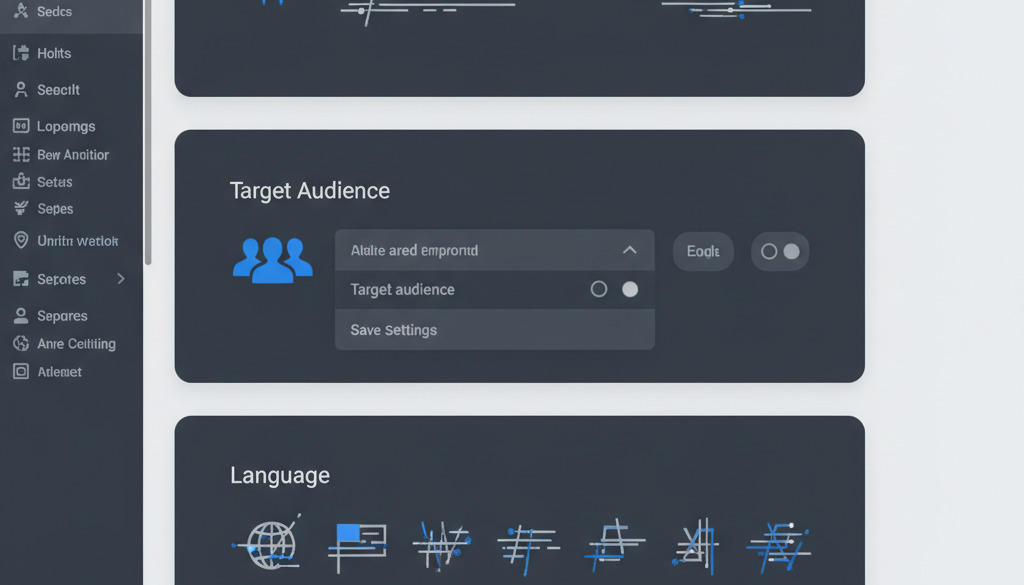
Configuring AI Settings
Once installed, take a few moments to configure the settings. This is where you can align the AI with your content strategy. You can typically set parameters such as:
- Default Tone of Voice: (e.g., "Professional," "Friendly," "Witty")
- Target Audience: (e.g., "Small Business Owners," "Marketing Managers")
- Language and Region: Ensure it's set to US English.
- Output Length: Define the approximate word count for generated articles.
Proper configuration is key to getting content that feels consistent with your brand from the very first draft.
Leveraging AI for SEO-Optimized Blog Content: The Core Application
For most businesses, the primary driver for content creation is Search Engine Optimization (SEO). The goal is to get your website to appear on the first page of Google when potential customers search for problems you can solve. This is where AI integration truly shines and provides a massive competitive advantage.
AI is uniquely capable of generating content that is perfectly aligned with SEO best practices. It can seamlessly weave target keywords and related phrases into articles, helping to signal relevance to search engines. More importantly, it can analyze top-ranking content for a given keyword to understand the *search intent*—what the user is actually looking for—and structure its output to provide a comprehensive answer.
"The ability to scale content production is a cornerstone of modern SEO. AI allows a single person to achieve the output of an entire content team, consistently publishing optimized articles that build topical authority and drive organic traffic."
This is precisely the need that new, specialized AI services are designed to address. For example, services that promise to write professional SEO blog articles for your website in minutes are built on this principle. They take the guesswork out of SEO, making your content marketing efforts virtually effortless and ensuring customers find you on Google organically.
Crafting Compelling Content with AI: Beyond Basic Generation
Generating text is only the first step. The real art of using AI lies in guiding it to produce content that is not just factually correct and keyword-rich, but also compelling, engaging, and aligned with your brand voice. This is achieved through effective prompting and a clear understanding of the AI's capabilities.
Instead of a simple prompt like "write a blog post about email marketing," a more effective approach would be:
"Act as a digital marketing expert. Write a 1500-word blog post for small business owners who are new to email marketing. The tone should be encouraging and professional. Start with a story about a business that succeeded with email marketing. Cover the topics of building a list, choosing an email platform, and writing effective subject lines. End with a call to action to download our free email marketing checklist."
This detailed prompt provides context, defines the audience and tone, specifies the structure, and includes a clear objective. The more specific your instructions, the higher the quality of the initial draft, saving you significant editing time.
The Essential Role of Human Editing and Oversight with AI-Generated Content
This is perhaps the most critical point to understand: AI is a tool, not a full replacement for a human. Relying on AI-generated content without human review is a recipe for disaster. While the technology is incredibly advanced, it has limitations that require human intelligence to overcome.
Your human-led editing process should focus on several key areas:
- Factual Accuracy: AI models can sometimes "hallucinate" or invent facts, statistics, or sources. Always fact-check any data points or claims made in the generated text.
- Brand Voice and Nuance: AI can mimic a tone, but it cannot capture the unique soul and personality of your brand. Your edits should infuse the text with your authentic voice and perspective.
- Original Insights and Experience: An AI has not run a business, dealt with a difficult client, or had a breakthrough moment of inspiration. Add your own personal stories, anecdotes, and unique insights to make the content truly valuable and original.
- Emotional Connection: AI operates on logic and patterns. It cannot replicate genuine empathy or create a true emotional connection with the reader. This human touch is something only you or your team can provide.
Develop a workflow that treats the AI as a junior writer. It produces a solid first draft, and you, as the senior editor, refine, enhance, and approve it for publication.
Best Practices for Prompt Engineering: Getting the Most Out of Your AI
The skill of writing effective instructions for an AI is known as prompt engineering. Mastering this can be the difference between getting generic, unusable text and receiving a brilliant first draft. Here are some practical tips:
Be Specific and Contextual:
- Bad Prompt: "Write about social media."
- Good Prompt: "Write a 1000-word guide for US-based restaurant owners on how to use Instagram Reels to promote their daily specials and increase foot traffic. Use a fun, casual tone."
Assign a Persona:
- Bad Prompt: "Explain SEO."
- Good Prompt: "Act as a friendly SEO expert explaining the three most important ranking factors to a complete beginner. Use simple analogies and avoid technical jargon."
Provide a Structure:
- Bad Prompt: "Create an article on home gardening."
- Good Prompt: "Create a blog post titled '5 Easy Vegetables for Your First Garden.' Include an introduction, a numbered list where each item covers a different vegetable (Tomatoes, Lettuce, Cucumbers, Peppers, Radishes), and a concluding paragraph."
Iterate and Refine: Don’t expect the perfect output on the first try. If you don't like the result, tweak your prompt. Add more detail, change the requested tone, or specify what to exclude. The more you experiment, the more intuitive the process will become.
Advanced AI Techniques for Content Enhancement in WordPress
Once you've mastered the basics of content generation, you can explore more advanced ways to use AI to enhance your content strategy and get even more value from your existing assets.
AI for Content Repurposing and Summarization
Your best-performing blog post doesn't have to live and die as a single article. AI can instantly repurpose it into multiple new formats. You can ask an AI to:
- Summarize a 4000-word article into a 300-word email newsletter.
- Extract the key points and turn them into a script for a short video.
- Generate a series of 10 social media posts based on the article's content.
- Rewrite the article from a different angle to create a guest post for another website.
AI-Assisted Translation and Multilingual Content
If your business has an international audience, AI-powered translation tools can instantly make your content accessible to new markets. While not always as nuanced as a professional human translator, modern AI translation is remarkably accurate and can be a cost-effective way to expand your global reach. Many AI plugins for WordPress offer this functionality built-in.
AI for Generating Content Variations and A/B Testing
Not sure which headline will get the most clicks? Can't decide on the most effective call to action? AI can help. You can ask it to generate ten different headline variations for your blog post. You can then use A/B testing tools in WordPress to show different headlines to different visitors and see which one performs best. This data-driven approach can significantly improve your click-through rates and conversions.

Measuring the Impact: Key Metrics for AI Content Performance
Implementing an AI content strategy is not a "set it and forget it" activity. To ensure you’re getting a positive return on your investment, you must track key performance indicators (KPIs). Connect your WordPress site to Google Analytics and monitor these metrics for the content produced with AI assistance:
- Organic Traffic: Is the number of visitors arriving from search engines increasing? This is the primary indicator that your SEO strategy is working.
- Search Engine Rankings: Use a tool to track your position in Google for your target keywords. Are you climbing up the rankings for the terms your articles are targeting?
- Time on Page / Engagement Rate: Are people actually reading your content? A high time on page suggests that the content is valuable and engaging.
- Conversion Rates: If your content includes calls to action (e.g., "Contact Us," "Download a Guide"), are people completing them? This measures the content's effectiveness at driving business goals.
- Lead Generation: How many new leads or customer inquiries are being generated from your blog content? This directly ties your content efforts to revenue.
By analyzing this data, you can identify what’s working, what’s not, and continuously refine your AI prompts and content strategy for even better results.
Navigating the Ethical Considerations and Limitations of AI Content
With great power comes great responsibility. Using AI in your content creation process requires an awareness of its ethical implications and limitations to maintain your brand's credibility and trust.
- Plagiarism: Reputable AI models are designed not to plagiarize. They generate original text based on learned patterns. However, it's always a good practice to run content through a plagiarism checker, especially in the early stages, for peace of mind.
- Accuracy: As mentioned, AIs can be confidently incorrect. The responsibility for the accuracy of what you publish always rests with you. Never publish AI-generated content on sensitive topics (like medical or financial advice) without rigorous review by a qualified human expert.
- The "Human Touch": There is a growing conversation about the soullessness of some AI content. To maintain trust, always add your unique perspective, stories, and brand voice. Some businesses also choose to add a small disclaimer, such as "This article was written with the assistance of AI," to be transparent with their audience.
Responsible AI use is about leveraging its efficiency without sacrificing your brand’s integrity.
Common Pitfalls to Avoid When Integrating AI Content Tools
As with any new technology, there are common mistakes that businesses make when first adopting AI. Being aware of these pitfalls can help you avoid them and ensure a smoother integration.
- Over-reliance on Raw Output: The most common mistake is publishing the AI's first draft without any changes. This leads to generic, often soulless content that may contain inaccuracies and doesn't reflect your brand.
- Neglecting the Human Review Process: Skipping the human editing and fact-checking step is a dangerous shortcut that can damage your credibility.
- Poor Prompt Engineering: Vague, one-sentence prompts will lead to poor-quality content, causing you to believe the tool is not effective when the issue is the instruction.
- Ignoring Your Content Strategy: Using AI to create random content without a clear goal is a waste of time and resources. All content should support your predefined business objectives.
Navigating these challenges can be tricky, which is why some businesses opt for guided support. Expert services can help you avoid these common errors. For instance, many users find the guided onboarding invaluable, and some platforms even offer incentives like **getting your first five posts for free** to ensure you start on the right foot and learn the best practices from day one. With over 500 companies successfully using such services, it's a proven way to bypass the frustrating learning curve.
Future Trends in AI and WordPress Content Creation
The integration of AI and WordPress is just getting started. The field is evolving at a breathtaking pace, and what seems advanced today will be standard tomorrow. Keep an eye on these future trends:
- Hyper-Personalization: Soon, AI may be able to dynamically adjust website content based on who is visiting, creating a truly personalized experience for every user.
- Natively Intelligent WordPress: As previewed by WordPress 7.0, AI will become a core part of the platform. Instead of relying solely on third-party plugins, your WordPress dashboard will have built-in AI capabilities for content creation, site management, and even health diagnostics.
- AI-Driven Content Strategy: Future AI tools won't just write content; they will act as strategic consultants. They will analyze market data, predict trends, and build out entire content calendars for you, complete with topics, keywords, and publication schedules.
- Multimodal Generation: The lines between text, image, and video are blurring. Future AI agents in WordPress may be able to generate a blog post, create a relevant featured image for it, and produce a summary video, all from a single prompt.
Getting Started with AI Content Generation: Your First Steps
Feeling inspired but not sure where to begin? Don't try to boil the ocean. The key is to start small and build momentum.
- Choose One Content Goal: Don't try to automate everything at once. Decide on one specific goal. For example, "I want to publish one new, SEO-optimized blog post every week."
- Pick One Tool and Experiment: Select one plugin or service that seems like a good fit. Spend a week exploring its features. Try different prompts and see what kind of output you get.
- Create Your First AI-Assisted Post: Use the tool to generate a draft for a single blog post. Then, commit to spending 30-60 minutes editing and refining it. Add your own stories, check the facts, and polish the language.
- Publish and Promote: Get the article live on your WordPress site. Share it on your social media channels.
- Review and Repeat: After a week, look at the initial data. More importantly, reflect on the process. Was it faster? Did it feel manageable? Then, do it again.
Adopting AI is an iterative process. The more you use it, the better your prompts will become, and the more efficient your workflow will be.
Conclusion: Embracing AI for Sustainable Content Growth
The digital landscape waits for no one. For busy SME owners, the challenge of creating consistent, high-quality content has long been a significant barrier to growth. The integration of artificial intelligence into WordPress is not just an incremental improvement; it is a paradigm shift that levels the playing field.
By embracing AI, you are not replacing your creativity; you are augmenting it. You are not sacrificing quality; you are scaling it. You are freeing yourself from the time-consuming labor of content creation to focus on the strategic vision of your business. From increasing your output and boosting your SEO to saving time and money, the benefits are clear and compelling.
The journey begins with a single step. By choosing the right tools, maintaining human oversight, and committing to a clear strategy, you can unlock a new era of sustainable content growth, turning your WordPress blog into a powerful, automated engine for attracting more customers and achieving your business goals.
Frequently Asked Questions
- 1. Will using AI-generated content hurt my website's Google rankings?
- No. Google has been clear that it rewards high-quality content, regardless of how it is produced. Their policy is to focus on content that demonstrates expertise, authoritativeness, and trustworthiness (E-A-T). As long as you use AI as a tool to create well-researched, original, and helpful content—and you perform crucial human editing—there is no penalty. Low-quality, unedited AI spam, however, will perform poorly.
- 2. Is AI-generated content considered plagiarism?
- Reputable AI content generation tools are designed to create original text. They don't copy and paste from existing sources but generate new sentences based on learned patterns. While the risk of accidental plagiarism is extremely low, it's still a best practice, especially on important articles, to use a plagiarism checker as part of your final review process for complete peace of mind.
- 3. How much time does it really take to edit an AI-generated article?
- This depends on the quality of your prompt and the complexity of the topic. With a well-engineered, specific prompt, you can get a high-quality first draft. For a standard 1,500-word blog post, the editing process—which includes fact-checking, adding brand voice, and refining the flow—typically takes between 30 and 90 minutes. This is a significant time saving compared to the 4-8 hours it might take to write the same article from scratch.
- 4. Can AI really match my company's unique brand voice?
- An AI can get very close if you provide it with clear instructions. In your prompts, you can specify the tone (e.g., "professional," "witty," "empathetic"), define the target audience, and even provide examples of your existing content for it to mimic. However, the final 10% of nuance, personality, and soul must come from a human editor. The AI provides the clay; you provide the final artistic shape.
- 5. What is the best AI content plugin for WordPress for a beginner?
- There are many excellent options, and the "best" one depends on your specific needs and budget. However, for a beginner, it's wise to look for a tool with a very user-friendly interface and strong integration with the WordPress editor. Look for tools that have high ratings, recent updates, and clear tutorials. Alternatively, starting with a "done-for-you" AI content service can be the easiest route, as it removes the need to learn any new software yourself.
- 6. Do I need to tell my readers that the content was written with AI?
- Currently, there is no legal or SEO requirement to disclose the use of AI. It is an ethical consideration for your brand. For general blog posts and marketing content, most businesses do not add a disclaimer, as the content is heavily edited and approved by a human. For more sensitive or journalistic topics, some choose to add a small note, such as "This post was created with the help of AI and reviewed by our editorial team," to maintain transparency.
Keep reading
Hand-picked guides that go deeper — open the one you need next:
- WordPress SEO Automation with AI: A Strategic Guide
- WordPress Wonders: AI for Automated Blog Publishing
- WordPress Blog Automation: Publish SEO Content with AI Plugin
- WordPress AI Blog Automation: The Ultimate Guide
→ Read the full WordPress guide